Sal is a job assistant on WhatsApp that applies to jobs for you, anywhere in the US. save 833-620-JOBS (5627), open WhatsApp and say hi. Sal asks the rest. 18+ only.
Interview request for your application: the diner would like to interview you for line cook. Tap Pick a time to choose one.
Pick a timeDecline
Tue, Dec 1, 10:00AMTue, Dec 1, 2:00PMWed, Dec 2, 11:00AM
You're booked! Your interview with the diner is Tuesday, Dec 1, 2:00 PM. In person. Good luck!
Tuesday
Reminder: your interview with the diner is today at 2:00 PM. In person. Good luck, you've got this!
Read the Steps
get set up in a few minutes
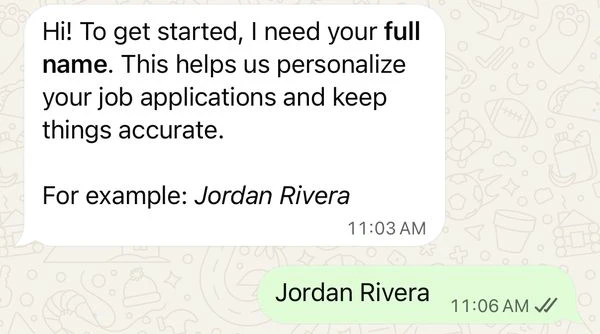
say hi. tap the button to start a chat with Sal on WhatsApp. Sal says hi and asks your name.
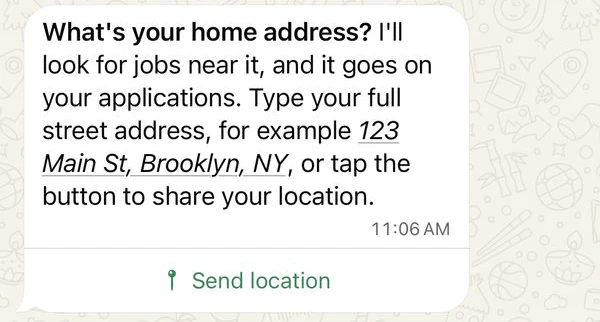
tell Sal where you live. send your location or type your address so Sal can find jobs near you.
choose how far you’ll travel. tell Sal how long a commute works for you. Sal only looks at jobs within that range.
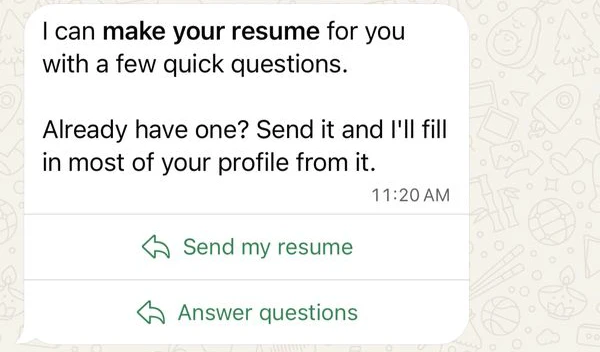
send your resume, or have Sal make one. send the resume you have, or answer a few quick questions and Sal makes one for you. you don’t need work experience.
fill in a few details.Sal asks what a resume leaves out, like your birthday and whether you can work in the US. it stays private and is only used for your job applications.
confirm your email. add your email and tap the button in the email Sal sends. employers use it to reach you.
get your new resume.Sal sends you a clean resume as a PDF in the chat. update your profile anytime and Sal makes a fresh copy.
pick the jobs you want. choose the kinds of jobs and roles you want. Sal only applies to those.
review and say yes. check what Sal will use to apply and change anything you want. then say yes to start.
Sal applies for you
your first 5 applications.Sal applies to your first 5 jobs right away and shows you where it applied.
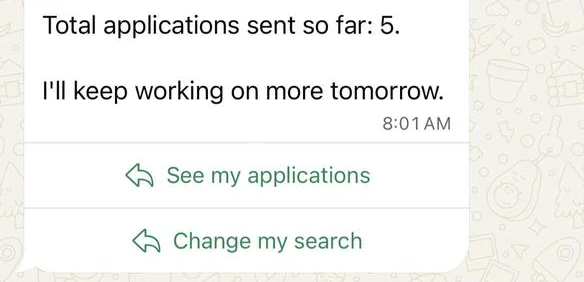
Sal keeps applying every day.Sal keeps applying through the day and sends you a quick summary at 8 PM your time.
when employers reply
questions from employers. if an employer asks something only you can answer, Sal texts you and passes your answer along.
interview invites. when an employer wants to meet you, Sal lets you know and helps you set a time.
job offers. got an offer? Sal lets you know so you can decide.
you’re in control
change your settings anytime. text “settings” to get a link to My Sal, where you can update your profile, job search and notifications. you sign in with a one-time code sent to your phone.
pause or start again. reply STOP anytime and Sal stops applying. employer replies still come through, and texting “start” picks up where Sal left off.
What the chat looks like
1
say hi
text hi. Sal asks your name.
2
tell Sal where you live
your home address and how far you’ll travel
3
send your resume
no resume? Sal makes one for you.
4
pick your jobs
choose your industries and roles
5
Sal applies for you
and sends you a daily update
screens from Sal on WhatsApp
Sal in one look
What
a job assistant on WhatsApp that applies to jobs for you
Number
833-620-JOBS (5627), only on WhatsApp
Where
anywhere in the US, near the address you share
Who
18+ only
Cost
free until your first interviews, then a 2-week or monthly plan


 Food
 Retail
 Hotels
 Cleaning
 FitnessMore